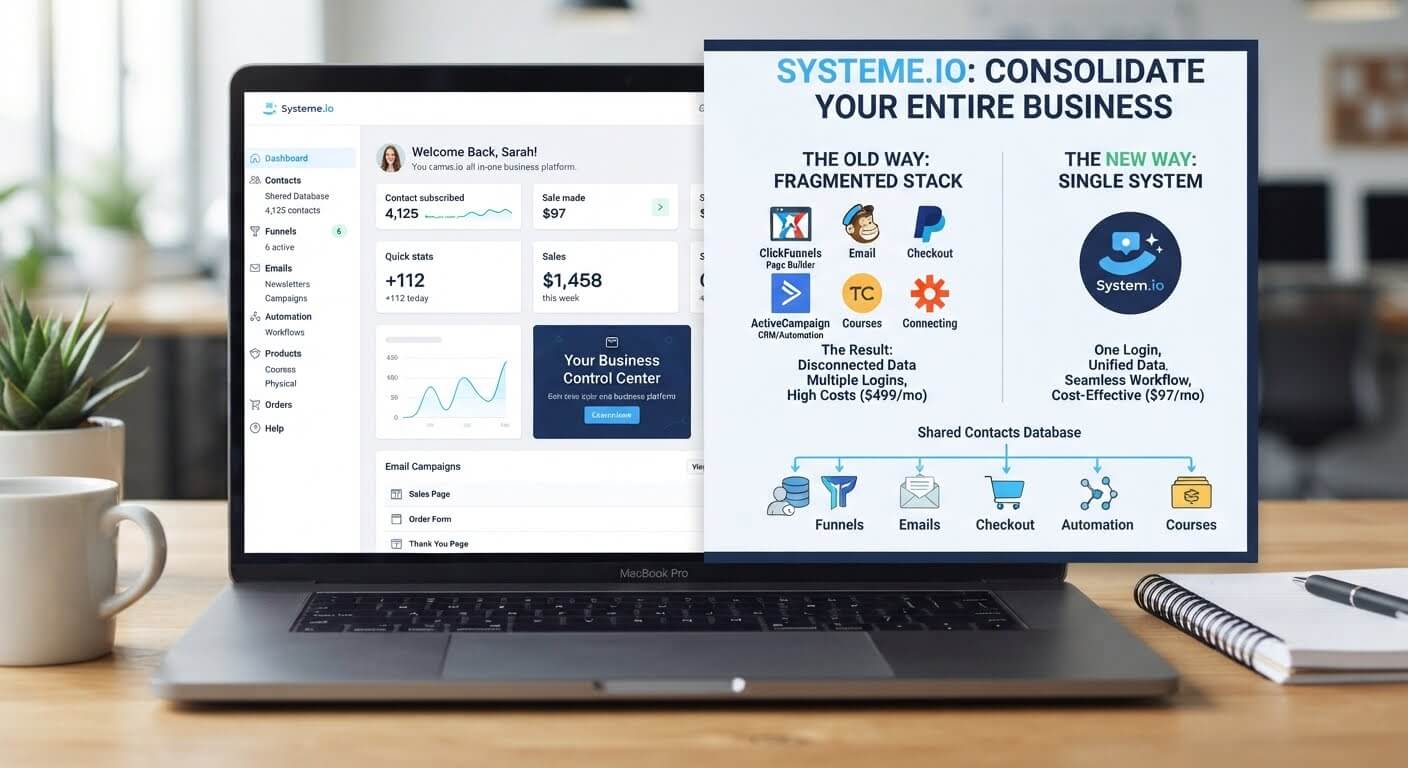
Paying for six different tools that barely talk to each other is a slow leak in your business. Every subscription, every login, and every broken integration costs you money and time you'll never get back.
The fix isn't finding better tools—it's replacing the ones you have with a single platform that covers pages, email, checkout, and contacts in one dashboard.
👉 Consolidate your business tools into one free platform here
Why This Fragmentation Problem Happens
Most business owners don't plan to end up with six subscriptions. It happens one tool at a time.
You need a landing page, so you buy a page builder. You need email follow-ups, so you add an email platform. You need a checkout, so you sign up for Stripe plus a plugin. Each purchase makes sense in isolation.
The root issue is that these tools were designed as separate products. They don't share data unless you pay for a connector like Zapier, and even then, the connection can break silently. When your form, your email, and your checkout each live in different accounts, every workflow requires a bridge—and every bridge is a point of failure.
Step-by-Step Fix for Replacing and Combining Your Tools
Step 1: List Every Tool You Pay For Monthly
Open your bank statement and write down every recurring software charge. Include the small ones—a $9 tool is still $108 per year.
Next to each one, write what it actually does for your business. Be honest about which ones you use weekly and which ones you've logged into twice.
Step 2: Group Tools by Function
Most stacks fall into four categories:
- Page building (landing pages, websites)
- Email marketing (broadcasts, sequences)
- Checkout and payments (Stripe, PayPal, plugins)
- Contact management (CRM, spreadsheets)
If you have more than one tool in any category, one of them is redundant.
Step 3: Identify What Can Be Replaced
For each category, ask: can one platform cover this instead of three?
Systeme.io bundles page building, email marketing, checkout, and CRM into one account. That means one login replaces the logins for your page builder, email platform, checkout plugin, and contact spreadsheet.
Step 4: Export Your Data Before You Cancel Anything
Once you cancel a subscription, the data may become inaccessible. Export your contacts, email templates, and any important records before you close any accounts.
Most platforms let you download contacts as a CSV file. Save those files somewhere safe.
Step 5: Migrate One Function at a Time
Don't move everything in a weekend. Migrate your email list first, then your landing pages, then your checkout.
Test each piece before cancelling the old tool. You don't want to break live funnels during the transition.
Step 6: Rebuild Your Automations in the New Platform
Your old automations won't transfer automatically. Recreate them one at a time.
Start with the most important one—usually the welcome email triggered by a form submission. Once that works, rebuild the next.
Step 7: Cancel Old Subscriptions After 30 Days of Stable Use
Keep your old tools active for 30 days after the new setup is working. This gives you a fallback if something breaks.
After 30 days of stable use, cancel the old subscriptions one at a time.
👉 Start replacing your old tools with one free account here
The Easiest Way to Avoid This Issue Moving Forward
The simplest way to stop fragmentation is to choose one platform and commit to it instead of adding another tool every time a need appears.
Systeme.io includes pages, email, checkout, and CRM in one account. The free plan covers 2,000 contacts, unlimited email sends, three funnels, and one course—enough to run a real business while testing whether the platform fits your workflow.
If you outgrow the free limits, the Startup plan is **$17 per month for 5,000 contacts and five funnels**. Compare that to a stack of five tools that runs $150–$400 monthly.
The honest limit: Systeme.io isn't best-in-class at every category. If you need advanced inventory management or complex memberships, you may keep one or two dedicated tools. But for a solo operator running a straightforward online business, one platform covering the core four is usually the right trade-off.
Common Mistakes to Avoid
Cancelling Old Tools Before the New One Works
Cancel only after you've confirmed the new platform handles everything you need. Keep a 30-day overlap.
Trying to Match Every Old Feature
You don't need feature parity. You need the tasks you actually perform weekly. Everything else is optional.
Skipping the Data Export
Once you cancel, your data may become inaccessible. Export before you leave.
Migrating Everything at Once
Moving your list, pages, and checkout in a single weekend is stressful and error-prone. Migrate one function at a time.
Ignoring the Migration Time
Consolidation takes a weekend to a week, depending on how much you have. Plan for it rather than expecting an instant switch.
Frequently Asked Questions
Can one platform really replace multiple business tools?
For a simple online business—pages, email, checkout, and contacts—yes. Systeme.io covers these in one account. If your business needs specialized tools for inventory or advanced memberships, you may keep one or two.
How long does it take to consolidate tools?
Migrating an email list, a few pages, and a checkout usually takes a weekend. Courses and complex automations may take a week.
Will I lose data when I cancel old tools?
Only if you don't export it first. Download your contacts and content before closing any accounts.
Is Systeme.io free to start?
Yes. The free plan includes 2,000 contacts, unlimited email sends, three funnels, and one course, with no credit card required.
What happens if the new platform can't do something I need?
Keep that one tool. Consolidation doesn't have to be 100% all-or-nothing. If a dedicated tool serves one function much better, keep it and consolidate the rest.
Conclusion
Replacing and combining your business tools isn't about finding the perfect platform. It's about cutting redundancy and consolidating the core functions into one place.
List your tools. Group them by function. Pick one platform that covers the essentials. Export your data. Migrate one piece at a time. Cancel after 30 days of stable use.
Systeme.io's free plan gives you pages, email, checkout, and CRM in one dashboard. You can consolidate without paying anything until your business actually needs more.
Your tools should work for you, not the other way around.
👉 Start consolidating your business tools for free today
Related Reading
Consolidating your platform tasks saves massive time and money. If you want to leverage an all-in-one system to capture and filter fresh leads automatically, check out my tutorial on the Easiest Way to Build an Online Quiz That Segments Email Lists.