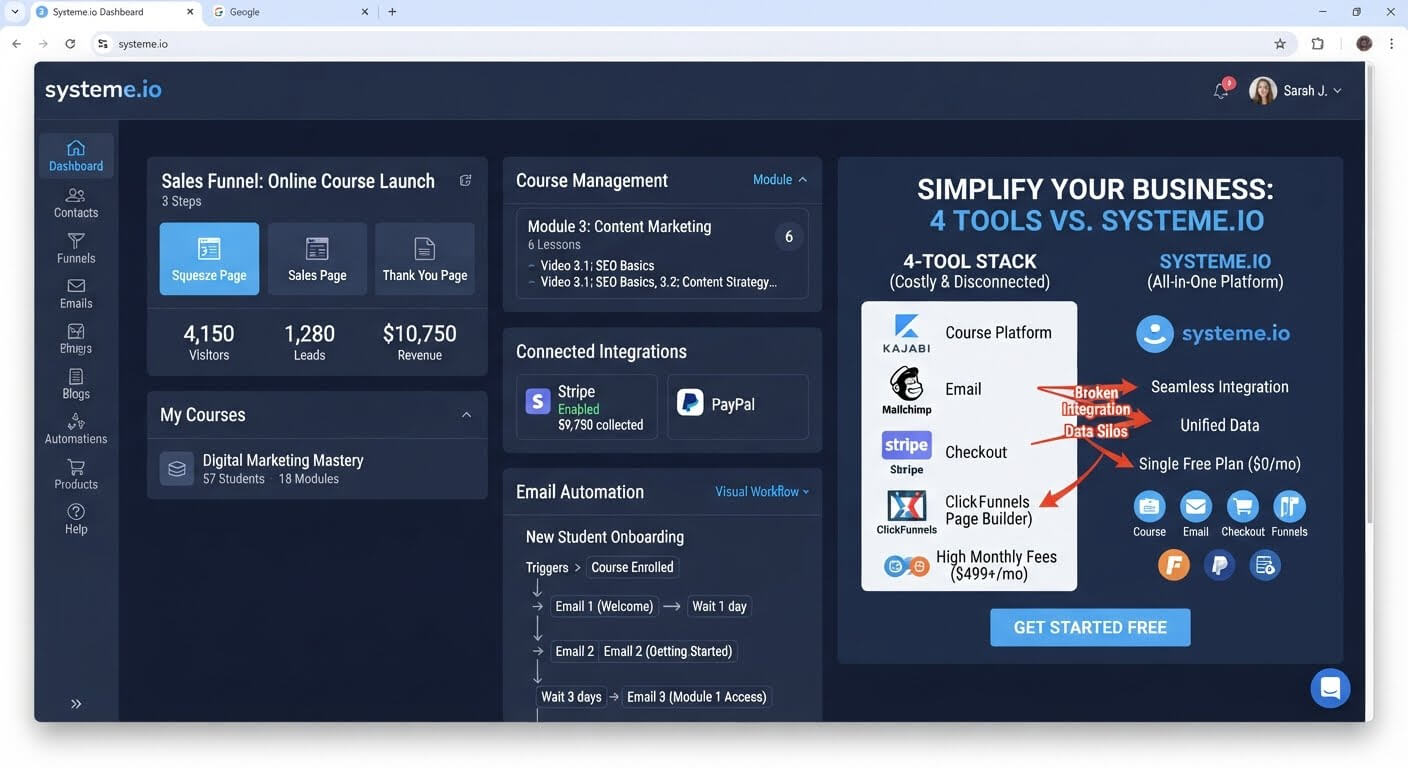
Paying for a course platform, an email tool, a checkout system, and a landing page builder before your course has made a single sale is a losing equation. You don't need four subscriptions to sell one course—you need one platform that includes all four.
Here is the exact stack a beginner actually needs, and the all-in-one option that covers it on a free plan.
👉 Sell your course with one free platform instead of four subscriptions here
Why This Cost Problem Happens
Most course creators end up with a fragmented stack because each tool solves one problem well. Teachable or Thinkific hosts the course. ConvertKit or Mailchimp handles email. Stripe processes payments. A page builder creates the sales page.
Each subscription seems reasonable on its own. Together, they add up fast. A typical beginner stack runs $60 to $150 per month before you've made a single sale.
The root issue is that these tools don't need to be separate. Course hosting, email marketing, checkout, and landing pages are all part of the same workflow—getting someone from "interested" to "enrolled" to "completed." When they live in different platforms, you pay for each one and spend time connecting them.
Step-by-Step Fix for Selling a Course with One Platform
Step 1: List What You Actually Need to Sell One Course
Before choosing tools, write down the minimum requirements:
- A sales page that explains the course
- A checkout system that accepts payment
- A course area where students access lessons
- Email automation to deliver access and follow up
That's it. You don't need affiliate management, advanced membership tiers, or community features for your first course.
Step 2: Check Whether One Platform Covers All Four
Systeme.io includes all four on its free plan: a sales page builder, checkout with 0% transaction fees, one course with video hosting, and email automation.
Compare that to a stack where Teachable handles the course, ConvertKit handles email, and a separate page builder creates the sales page. Each of those tools costs money on its own. Systeme.io bundles them into one account.
Step 3: Build the Sales Page First
Create a funnel with a sales page step. Add a headline, a description of what the course includes, a few bullet points, and a buy button.
Keep it focused on one goal: getting the visitor to enroll. Every element on the page should support that.
Step 4: Connect Checkout and Course Delivery
Connect Stripe or PayPal to accept payments. Set up the checkout so that after purchase, the buyer is automatically enrolled in the course.
Systeme.io's checkout connects directly to its course area. When someone pays, they get access immediately—no manual enrollment, no separate delivery step.
Step 5: Build the Course Area
Upload your video lessons and organize them into modules. Systeme.io's course area lets you create lessons, add resources, and track student progress.
The free plan includes one course, which is enough to validate your first offer before upgrading.
Step 6: Set Up Email Automation for Enrolled Students
Create an automation rule triggered by course enrollment. Send a welcome email with login instructions, a check-in email a few days later, and a completion email when they finish.
This keeps students engaged without you sending every message manually.
👉 Build your course, sales page, and emails in one free account here
Related Reading
Consolidating your training portals, checkout screens, and list building into a single system keeps your overhead incredibly low. To see my top choice for a frictionless dashboard designed specifically for non-technical users, look at my review of the simplest all-in-one marketing platform for older business owners.